Manual
SQ-80 turns the M-VAVE FM-1 into an Ensoniq SQ-80: three oscillators, a resonant filter, four envelopes and three LFOs per voice, eight voices, effects, an arpeggiator and a step sequencer. This manual walks through every screen.
1The panel
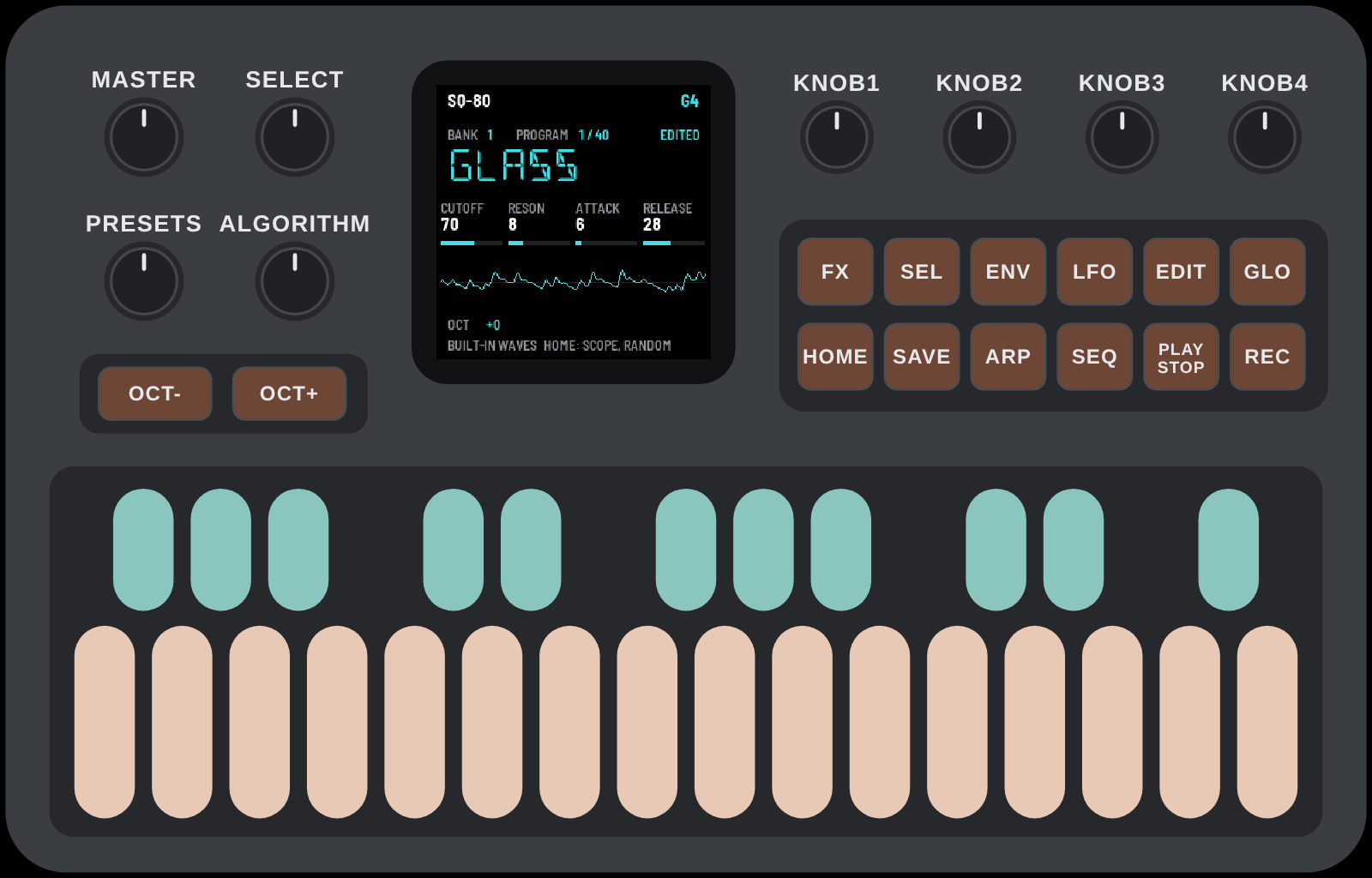
| Control | What it does |
|---|---|
| PRESETS | the next or previous program |
| SELECT | the next or previous bank (1–8) |
| ALGORITHM | the next or previous page of the screen you are on |
| KNOB 1–4 | the four values shown along the middle of the screen |
| OCT− / OCT+ | the keyboard's octave |
| MASTER | the volume |
| HOME | back to playing; on the playing screen, the scope and RANDOM |
| SEL · ENV · LFO · EDIT | edit the sound: oscillators, envelopes, LFOs, the rest |
| FX | the effects |
| SAVE | store the program |
| ARP | tap: arpeggiator on / off · hold: its settings |
| SEQ | the step sequencer (hold: the keys become steps) |
| PLAY / REC | start / stop the sequencer · record into it |
| GLO | settings and the audio load |
The keys light softly when idle and fully while you play them.
2Getting started
Install SQ-80 from the Install page in Chrome or Edge, with the FM-1 connected by USB. It plays at once with its own set of 75 waves. If you own an SQ-80's ROMs, the installer can also load your ROM pack (the original waves: make it on the ROM pack page) and your ESQ-1 / SQ-80 banks (.syx), and it remembers them for the next install.
There are eight banks of 40 programs, for your own: the installer and the Load page put ESQ-1 / SQ-80 SysEx banks into them, and SAVE stores what you make. No programs come with SQ-80; thousands of ESQ-1 and SQ-80 banks are at Rainer Buchty's Ensoniq archive, in the Ensoniq sounds 2022-07 collection and in Don Solaris's collection. A place where nothing was stored plays INIT, a plain sound to start from.
3Playing
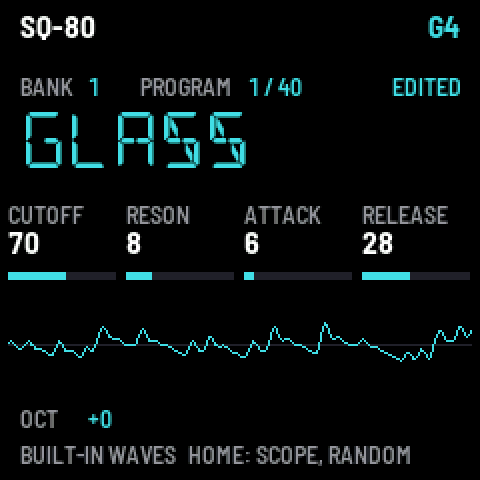
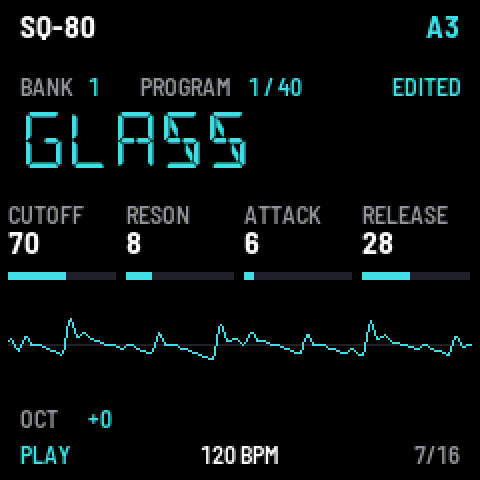
The playing screen shows the bank and program, the program's name (cyan while it has unsaved changes), and what KNOB 1–4 do here: CUTOFF, RESONANCE, ATTACK and RELEASE of the program. Under them, the waveform of what you hear. At the bottom: the octave, where MIDI comes from, and the sequencer when it runs.
Turn PRESETS for the next program, SELECT for the next bank. The note you play last shows top right.
4HOME: the scope and RANDOM
Press HOME on the playing screen to go through three screens:
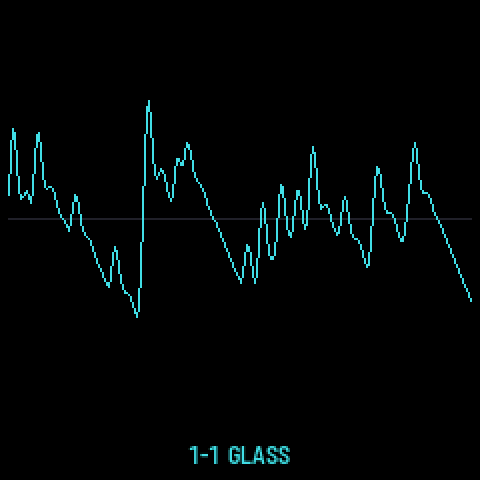
The scope: the waveform alone, large, with the bank, program and name at the foot.
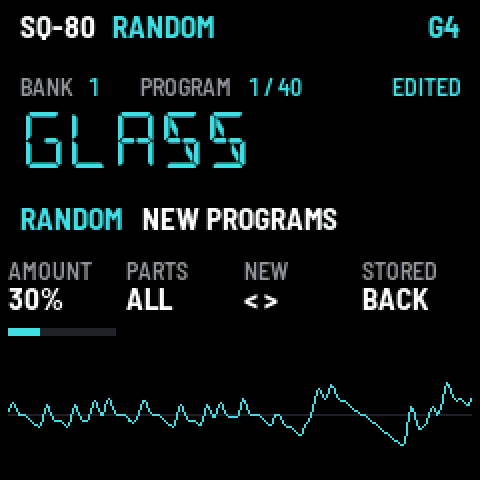
RANDOM makes new programs from the one playing:
| Knob | |
|---|---|
| K1 AMOUNT | how far each value may move (5–100 %; 100 %: anywhere) |
| K2 PARTS | what changes: ALL, OSC, FILTER, ENV, LFO, MOD (the modulation) |
| K3 NEW | right: a new program · left: the one before (8 kept) |
| K4 STORED | back to the program as it is stored |
New programs are named RND001, RND002… and are never silent. Keep one you like with SAVE. HOME again goes back to playing.
5Editing a sound
Four buttons open the editor. ALGORITHM turns the pages of each; KNOB 1–4 change the four values shown; HOME goes back to playing (the changes kept, not yet saved).
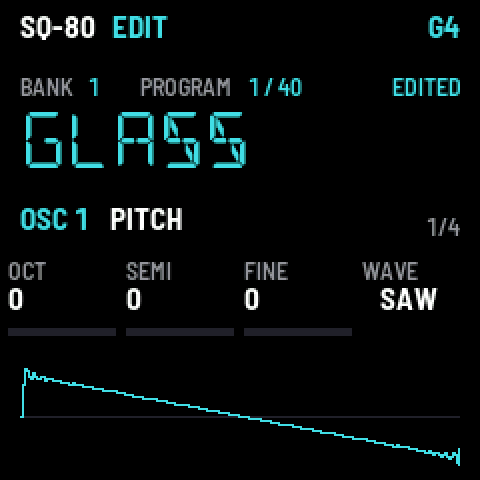
- SEL — the three oscillators (press again: OSC 1, 2, 3). Pages: PITCH (octave, semitone, fine, wave), PITCH MOD, DCA (level, output, level mod), DCA MOD 2. The wave is drawn.
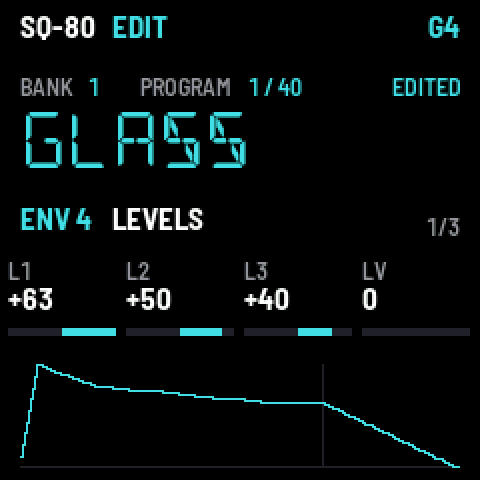
- ENV — the four envelopes (press again: ENV 1–4; ENV 4 is the volume). Pages: LEVELS, TIMES, KEY. The shape is drawn.
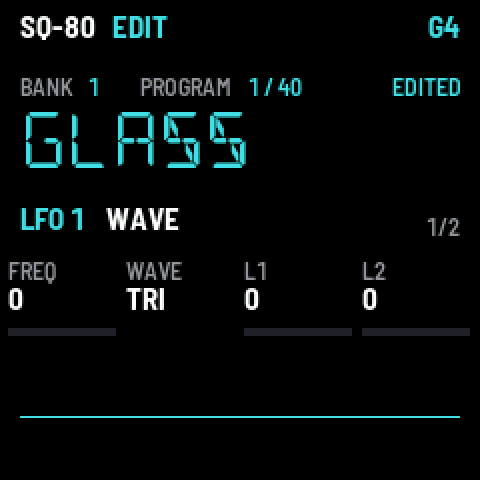
- LFO — the three LFOs. Pages: WAVE (rate, shape, depths), MORE (delay, mod, humanize, reset).
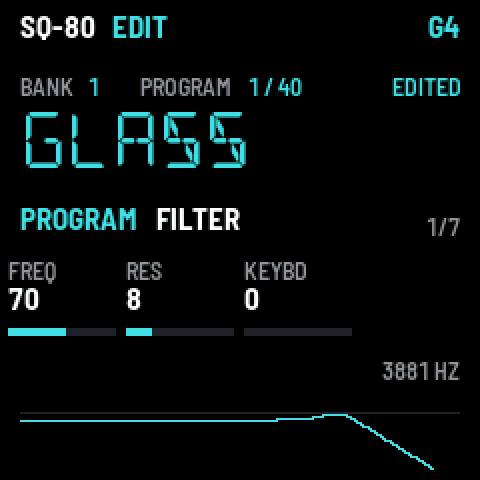
- EDIT — the rest: FILTER (its response drawn: the curve at C4, its cutoff in Hz, and with KEYBD the curves at C2 and C6 dim), FILTER MOD, OUTPUT, MODES (sync, AM, mono, glide), RESTART, and the name (NAME 1–4, NAME 5–6: one letter per knob), and SPLIT/LAYER (below).
SPLIT/LAYER, EDIT's last page, as on the SQ-80: LAYER a second program sounding with this one; SPLIT a program played from the split key up; SPL LYR a second program sounding with the split program; SPL KEY the split key. The partners are programs of the same bank, by place (1–40; turning the knob shows the name); OFF switches each off. All share the eight voices: a layered key takes two. Only the program you play uses its links (its partners' own split and layer are not followed). Moving a program to another place, or another bank, moves its links' targets with it: check them after rearranging a bank.
Every value works as on the SQ-80. On a computer, the Editor page shows them all at once.
6Saving a program
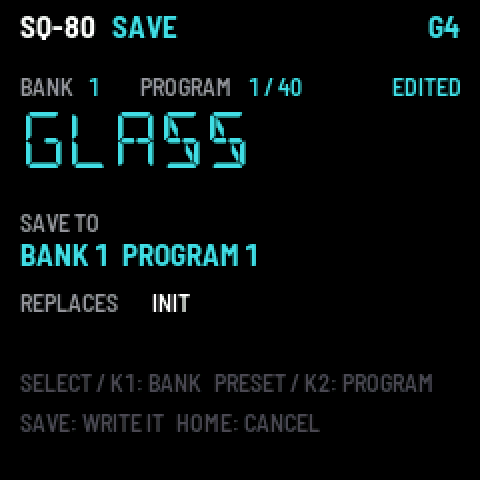
Press SAVE from any screen. Choose where with SELECT or K1 (the bank) and PRESETS or K2 (the program); the screen shows the program you would replace. SAVE again stores it; HOME cancels.
The bank, program, octave, effects, arpeggiator and sequencer settings keep themselves: a few seconds after a change they are remembered, with no need to save.
7Effects
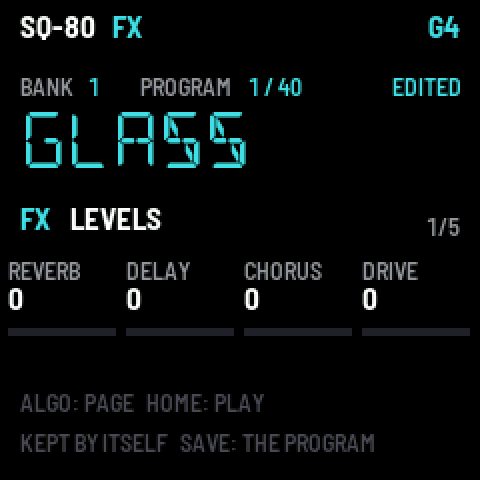
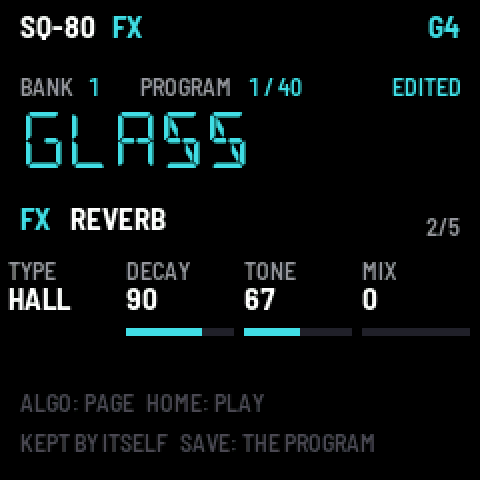
FX opens the effects (from FMini-1): the first page sets the levels of REVERB, DELAY, CHORUS and DRIVE; FX again or ALGORITHM opens each one's page: its TYPE and settings.
| Effect | Types |
|---|---|
| Reverb | ROOM, HALL, PLATE, SPRING, CLOUD |
| Delay | ANALOG, DIGITAL, TAPE, P-PONG, MULTI, SLAP, REVERSE, A-SYNC (in time with the tempo) |
| Chorus | STEREO, JUNO, MULTI |
| Drive | SOFT, TUBE |
8Arpeggiator
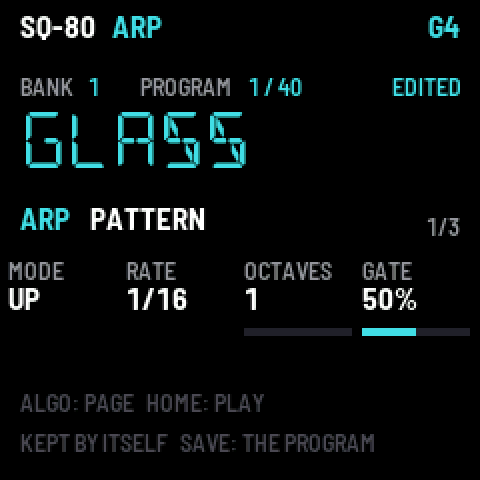
Tap ARP to turn it on or off (its light shows it). Hold the keys you want arpeggiated. Hold ARP for its pages:
| Page | Knobs |
|---|---|
| PATTERN | MODE (UP, DOWN, UP/DN, RANDOM, ORDER, REPEAT, DN/UP, UP+8, CONV, DIVG, PINKY, THUMB, WALK, CHORD) · RATE (1/4 … 1/32, triplets) · OCTAVES (1–4) · GATE |
| FEEL | SWING · HOLD (the notes go on when you let go) · ORDER (low to high, or as played) · CHANCE |
| TEMPO | TEMPO · MIDI CLK (follow a MIDI clock) · ARP on / off |
While the sequencer plays, the arpeggiator follows its beat; while recording, its notes are recorded.
9Sequencer
A pattern of up to 64 steps, each a note or a chord of up to four, a tie, a rest; with accents, slides and ratchets.
Entering notes
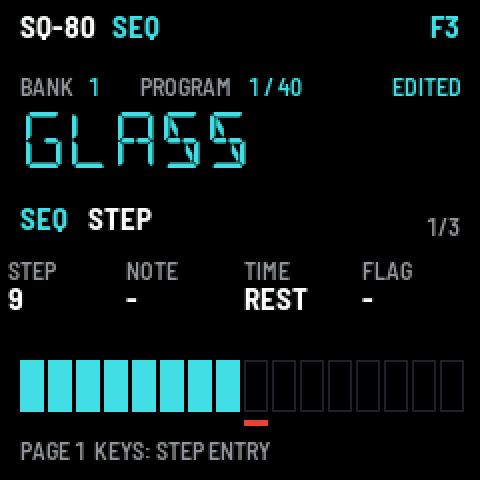
Tap SEQ: its first page, STEP, is step entry. Play a note (or a chord): it goes into the marked step, and when you let go the mark moves on. K1 moves the mark, K2 changes the step's notes, K3 makes it a NOTE, TIE or REST, K4 adds an accent or a slide.
The keys as steps
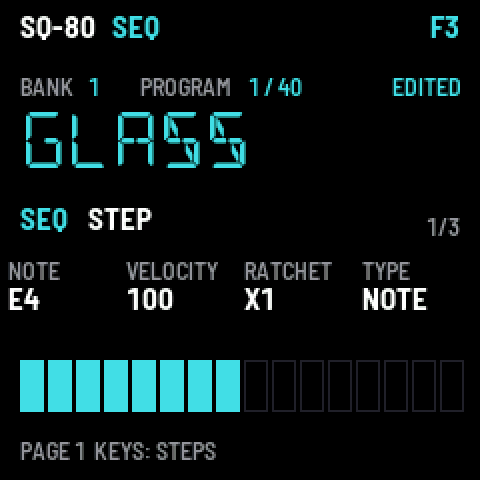
Hold SEQ (or tap it again on its page): the 16 white keys are steps 1–16 of the page, lit where they hold notes; the first four black keys (or OCT− / OCT+) choose the page (steps 1–16, 17–32, 33–48, 49–64). Press an empty step to fill it with the last note you played; press a full one and let go to clear it; hold it and turn K1 its note, K2 its velocity, K3 its ratchets (×1–×4), K4 its type.
Length, timing, playing, recording
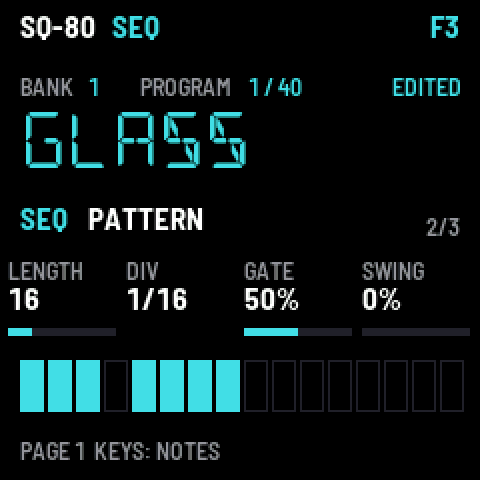
ALGORITHM on SEQ: PATTERN (LENGTH 1–64, DIV 1/4 … 2 bars, GATE, SWING), then TEMPO and MIDI CLK.
- PLAY starts and stops it. The PLAY light flashes on the beat.
- REC while it plays records what you play, as you heard it, layer after layer; held notes become ties. REC while it is stopped gets ready: your first note starts the loop and records.
- Hold REC 2 seconds clears the pattern. EDIT + OCT− undoes, EDIT + OCT+ redoes.
10GLO: settings and the load
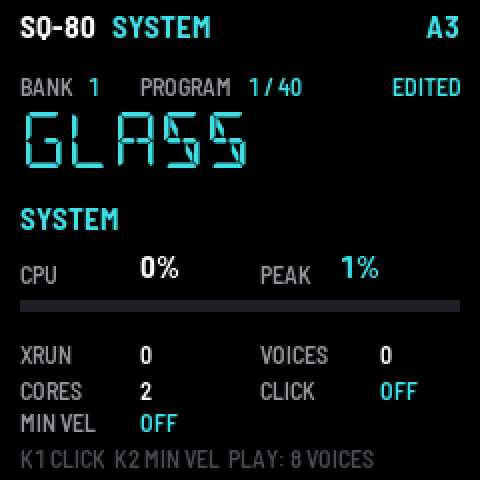
GLO shows how hard the FM-1 is working: CPU now and its PEAK, XRUN (under-runs: should stay 0), voices and cores. GLO again sets the peak to 0. PLAY here plays all eight voices at once, as a test.
- K1 CLICK — a metronome: OFF, REC (while recording), ON (whenever the sequencer plays).
- K2 MIN VEL — the softest velocity the keys play (0–127): for an even touch, the rest of your playing spread above it.
11MIDI and Bluetooth
SQ-80 plays from MIDI over USB, the MIDI in jack and Bluetooth, on any channel: notes with velocity, pitch bend, aftertouch, mod wheel, sustain and program changes. A MIDI clock leads the sequencer and the arpeggiator (MIDI CLK on). The keys send their notes out over USB and Bluetooth.
Bluetooth is on from power-on. On a Mac: Audio MIDI Setup → Window → Show MIDI Studio → the Bluetooth button → FM-1 XXXX → Connect. On an iPad: in the music app's own Bluetooth MIDI settings.
12The web pages
| Page | |
|---|---|
| Install | installs SQ-80, with your ROM pack and banks if you have them |
| Load | loads a ROM pack or banks on their own, or clears banks back to INIT |
| Librarian | banks side by side: hear any program with a click, put your own bank together, export it or send it to the FM-1 |
| Editor | every value of a program at once, heard as you change it, live on the FM-1; Randomize for new ones |
| Emulator | SQ-80 in the browser: the same firmware |
| ROM pack | makes your ROM pack from your SQ-80's ROM dumps |
| Wave pack | makes a wave set from your own sounds |
Chrome or Edge, with the FM-1 connected by USB. Nothing is uploaded: your files stay on your computer.
13On the SMK-37
SQ-80 also runs on the M-Vave SMK-37 and the Donner Starrykey 37 Play: the same screens and buttons (by their FM-1 names: SCALE is SEL, CHORD is ENV, NOTE REPEAT is LFO, PARA is EDIT, GLOBE is GLO, PATCH is HOME, BT is SAVE), K5-K8 where this manual says K1-K4, and its own: 37 keys with velocity, the pads (programs; with SEQ held, the steps), four faders in four banks, the wheels and the pedal. It has two banks of 40 programs, for your own. The backup, the install and the controls: the SMK-37 page.